Payroll & Compliance3 min read247HRM Team

Process of Digital Form 2 for EPF & EPS nomination

Learn how to easily submit your EPF and EPS nomination online using Digital Form 2. This guide walks you through the entire process on the UAN portal.

First enter UAN portal – select “Manage “option – Select “E-nomination “option
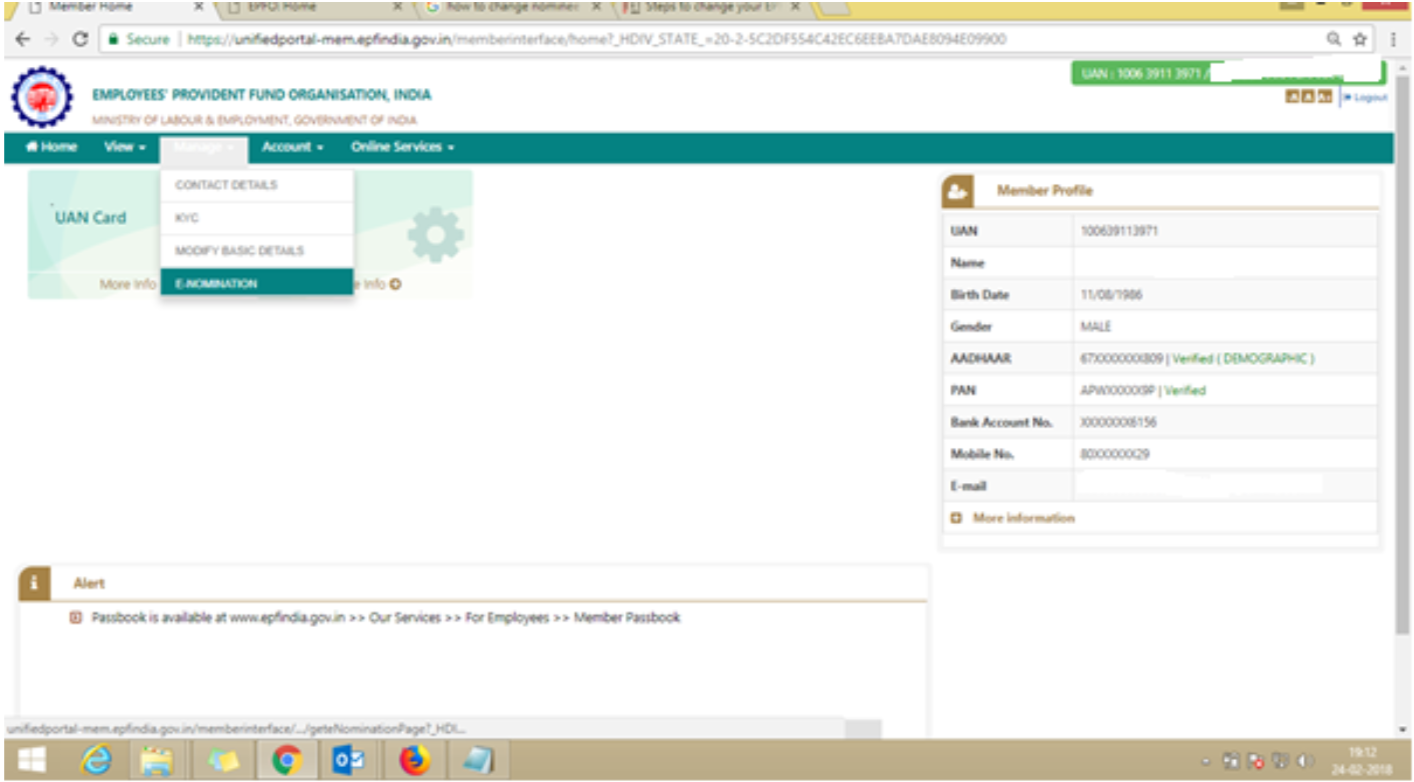
Process-of-Digital-Form-2-for-EPF-EPS-nomination-1

Type the full address (as per aadhar) & save. Then select the Having Family option (Yes/No) & write as required & Save the family details.
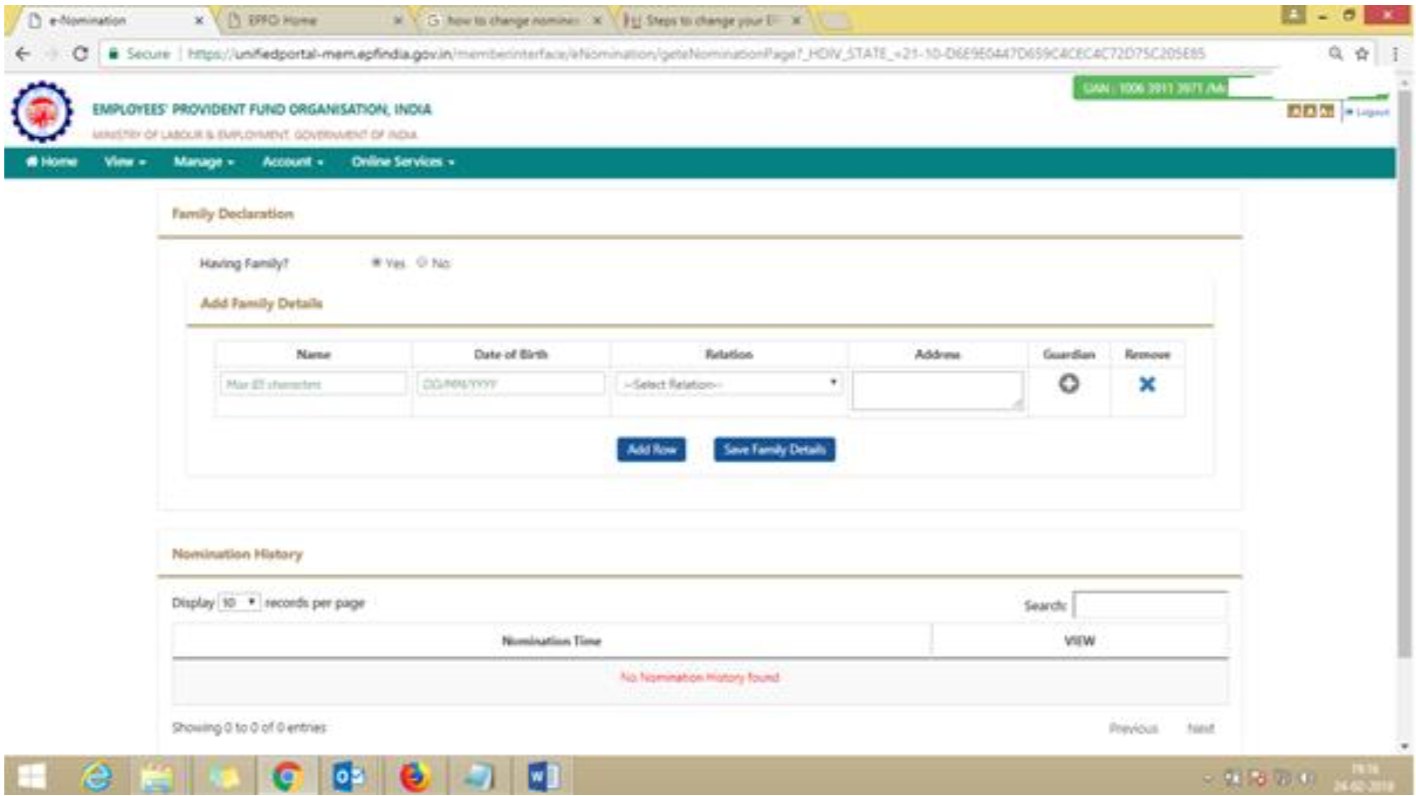
Process-of-Digital-Form-2-for-EPF-EPS-nomination-2

Then select the combo box for EPF nomination percentage & save EPF nomination. After that write the EPS nomination & save the EPS nomination option
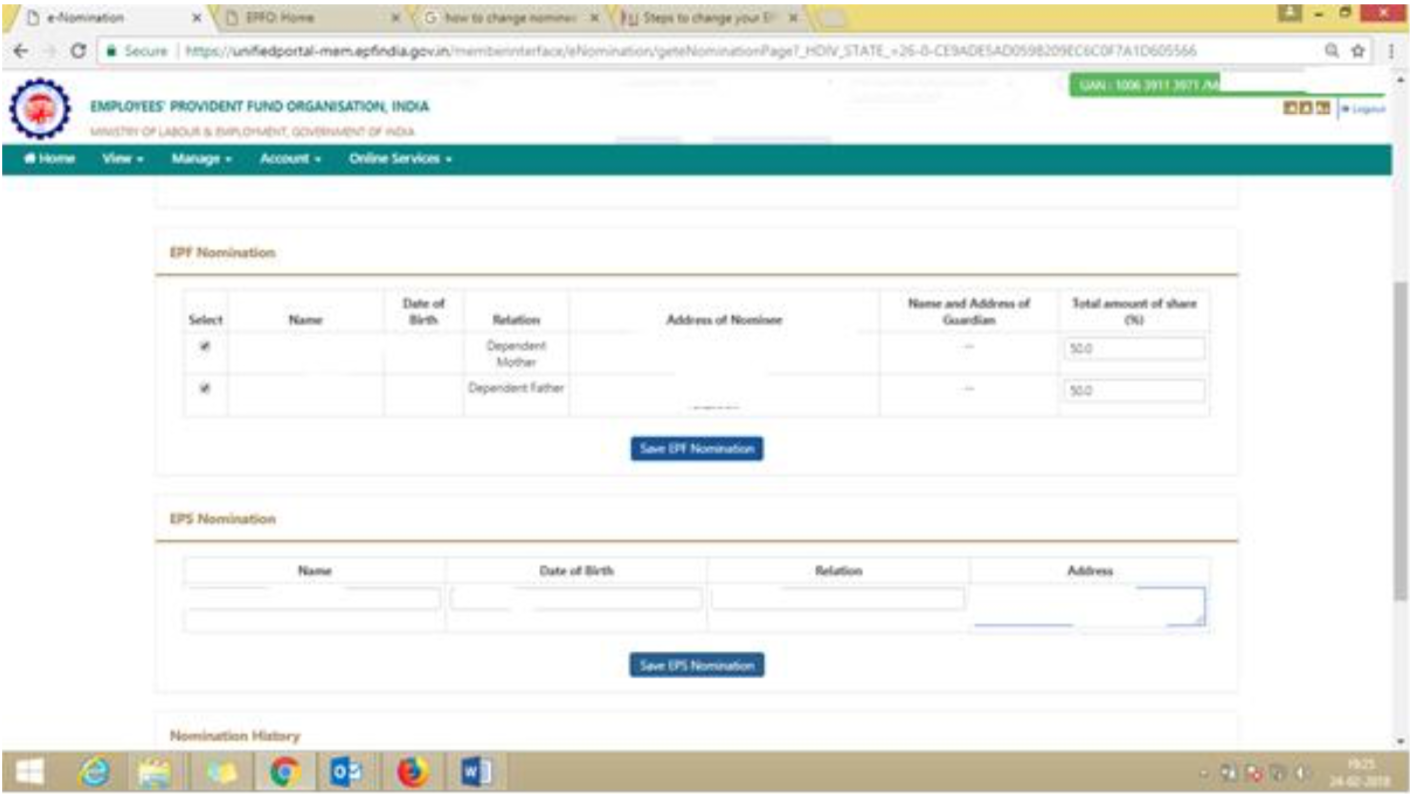
Process-of-Digital-Form-2-for-EPF-EPS-nomination-3

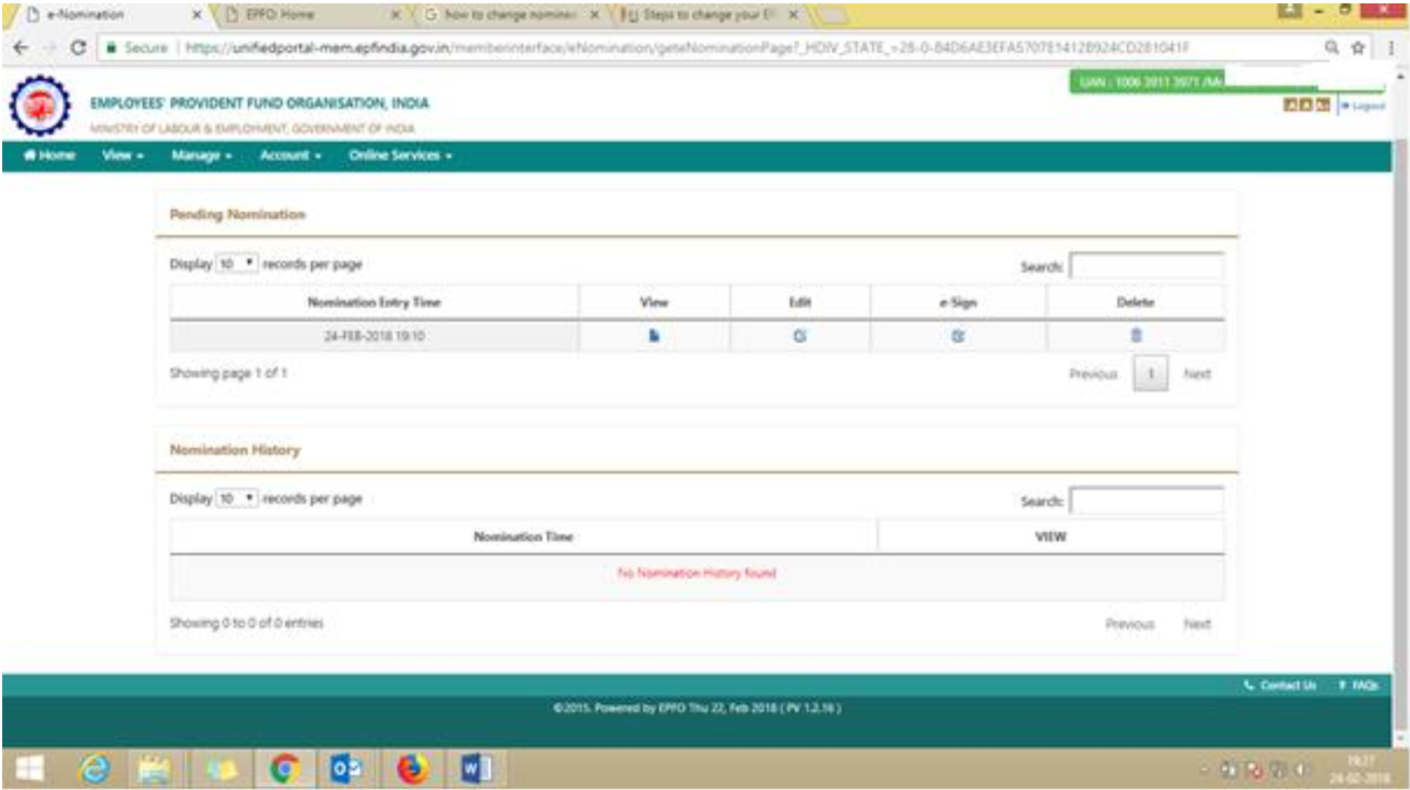
Then select the eSign option –

Process-of-Digital-Form-2-for-EPF-EPS-nomination-4

Select the 2 nos combo box & generate OTP option
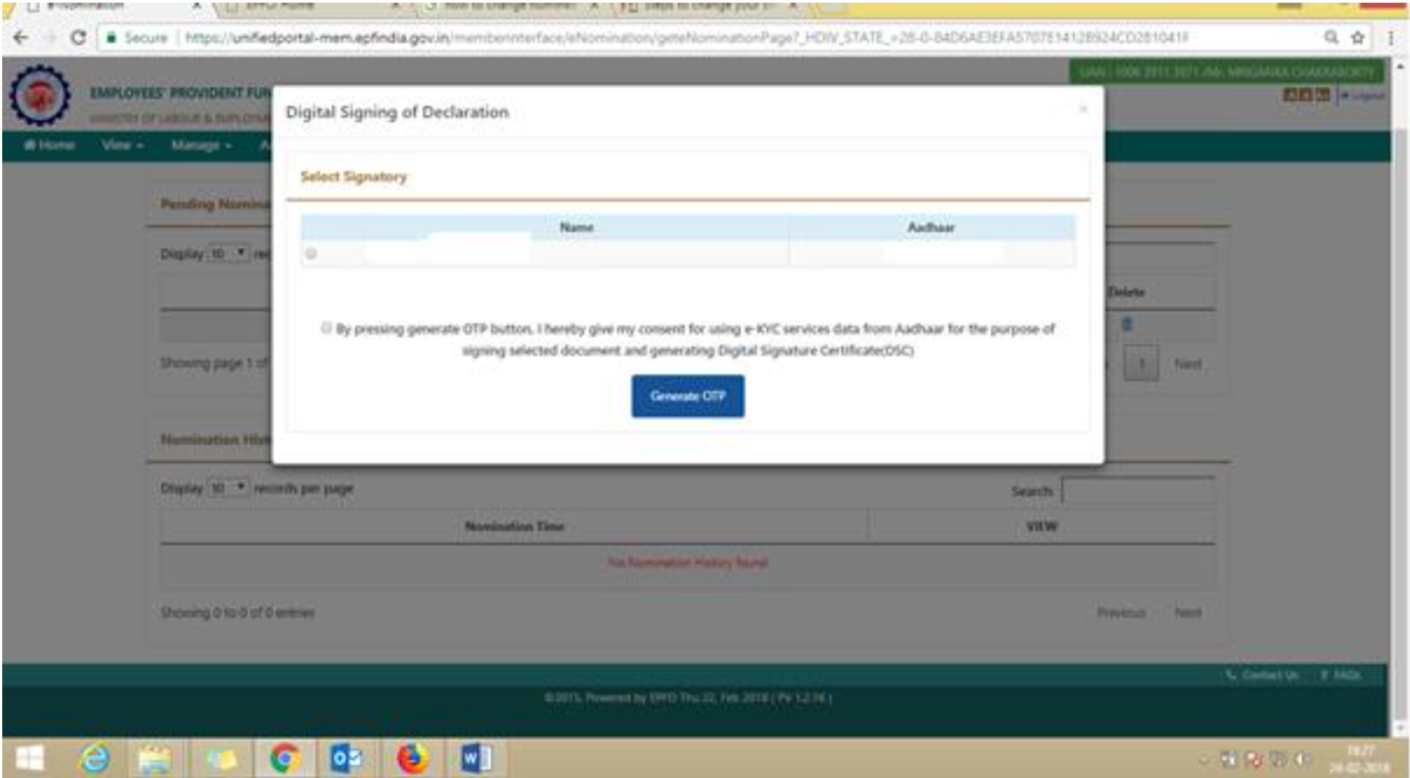
Process-of-Digital-Form-2-for-EPF-EPS-nomination-5

Type the OTP which is come to your register Mobile no.
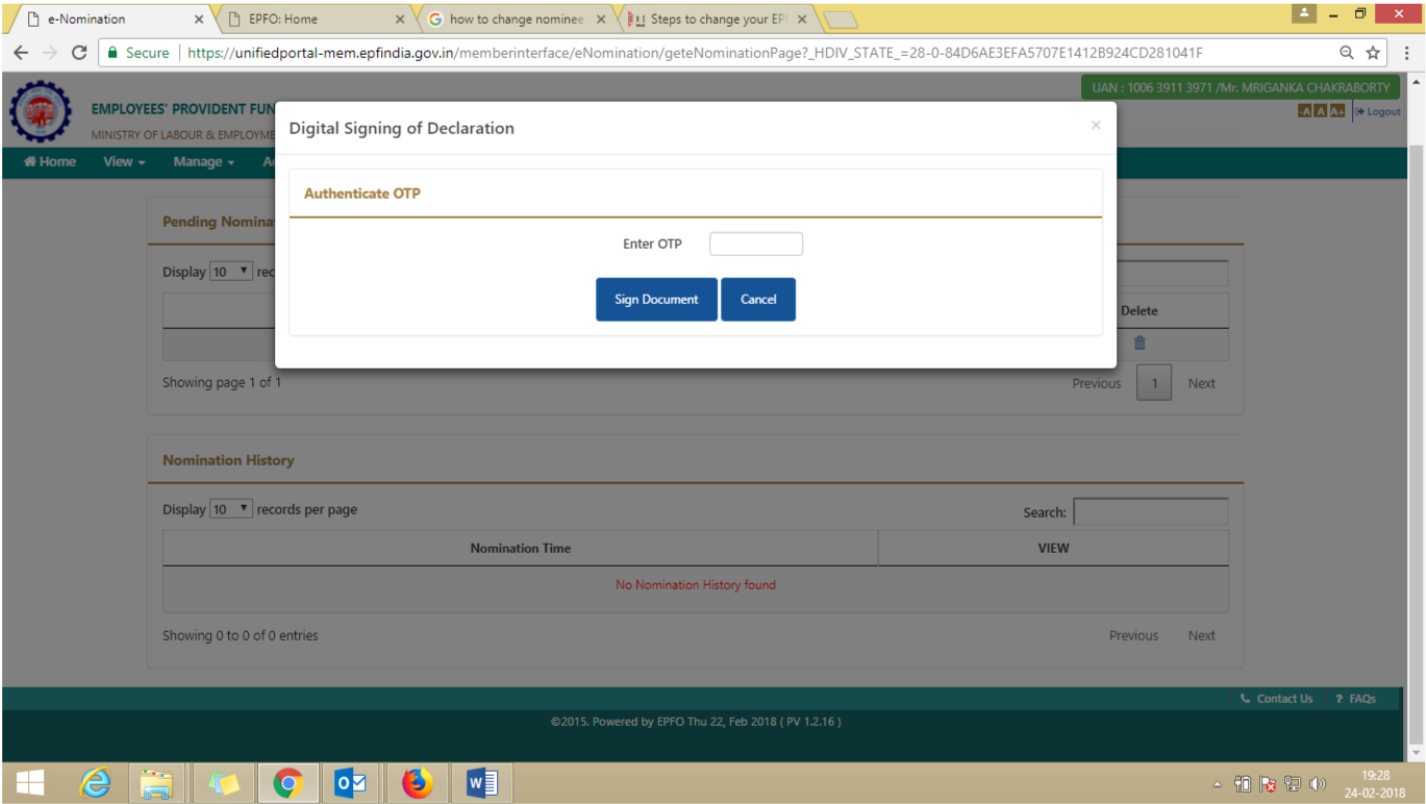
Process-of-Digital-Form-2-for-EPF-EPS-nomination-6

Select the view option for Digital Form 2 download.
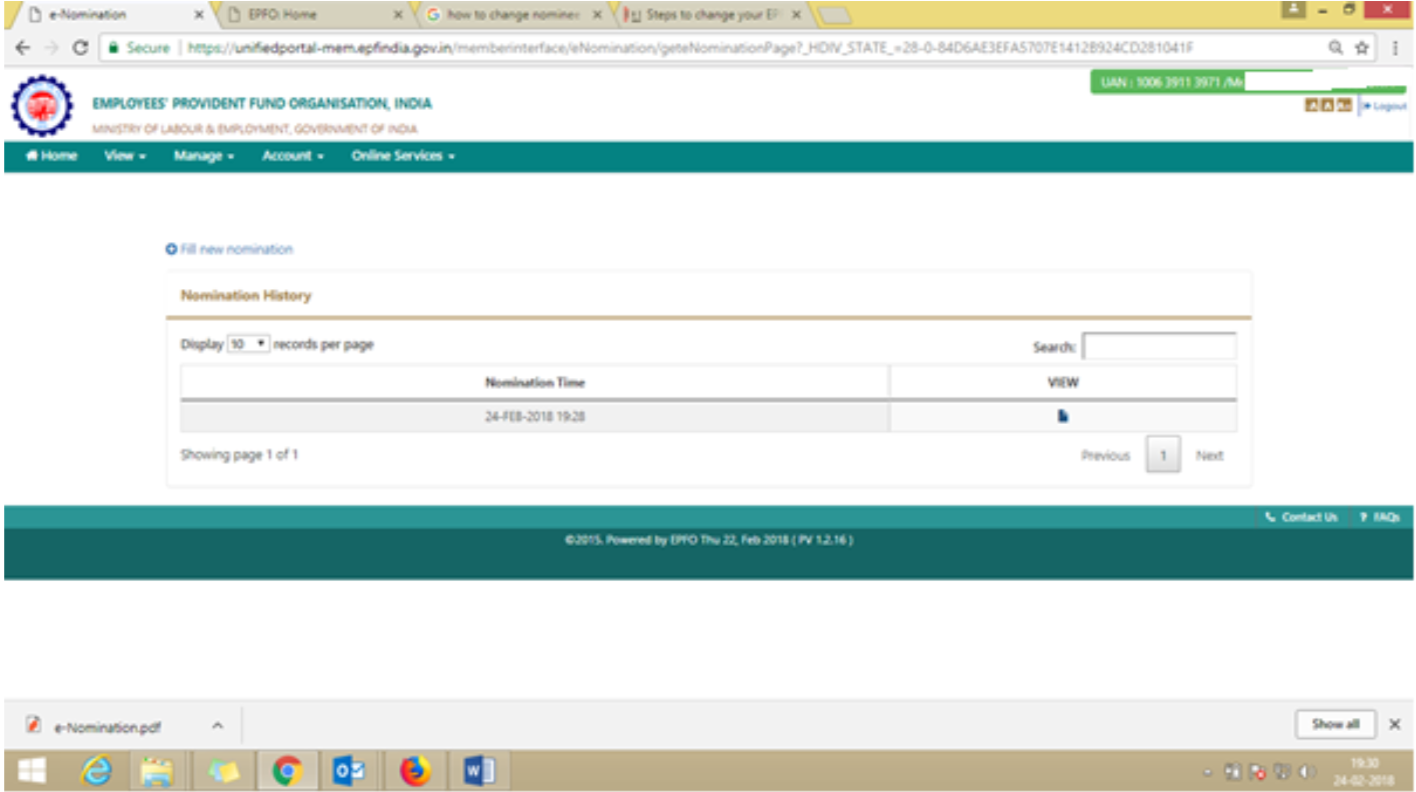
Process-of-Digital-Form-2-for-EPF-EPS-nomination-7

Request a demoMore articles